
23snaps: Private Family Album
23 Snaps Ltd.Parenting
4.4329.00 Reviews
- Version
- 9.2.0
- Installs
- 100.00K
- Age Rating
- Teen
Screenshots
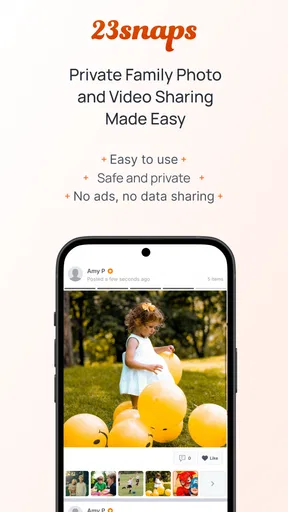
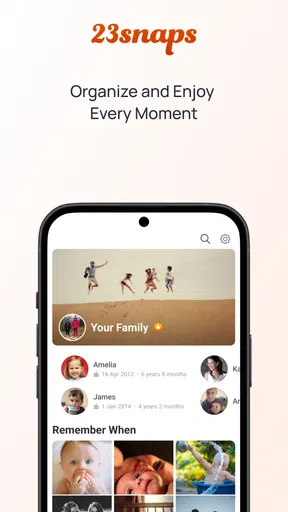
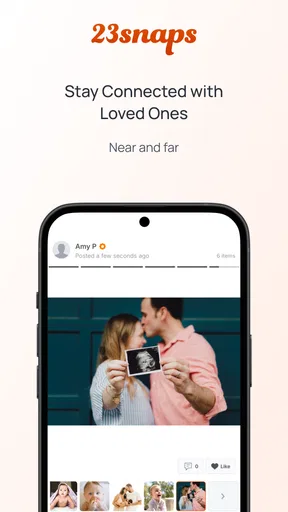
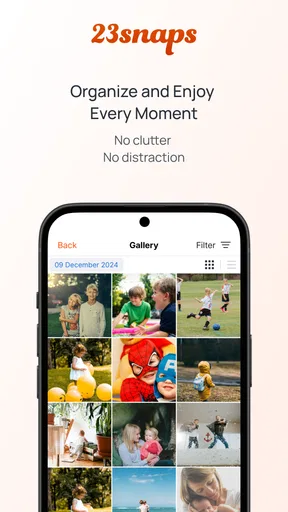
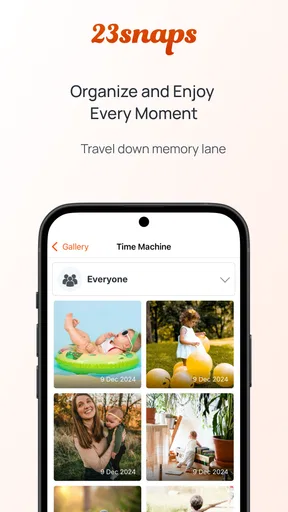
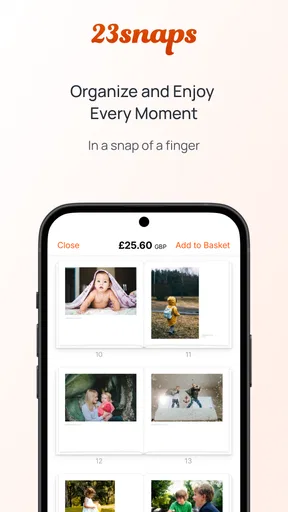
Our Review of 23snaps: Private Family Album
 Analysis by Appyee
At first, a private family album sounds like an easy win: take a photo, share it with relatives, and keep the moment out of a public feed. The harder question is whether a separate app still feels useful once the excitement of setting it up has passed. I see 23snaps: Private Family Album as most worthwhile for families who want a dedicated place for child and family updates, and who are willing to make sharing part of their routine rather than another task to remember.
The first week: an inviting place for family updates
In the first few days, the appeal is clear. Photos, videos, and short written notes can sit together as a record instead of being scattered through conversations and social posts. That combination suits small moments as much as big ones: a funny expression, a new skill, or a family outing that relatives who live far away would otherwise hear about much later.
A practical way to begin is to invite only the people who are likely to look at and respond to updates. A smaller circle makes the album feel personal, and it avoids turning every upload into a broadcast to a long list of contacts. Before adding a large backlog, I’d try a few current photos and a short note. That gives everyone a chance to understand the rhythm of the album without making its first impression feel like a catch-up assignment.
Why Choose 23snaps?
Let's face it, social media platforms aren't exactly the Fort Knox of privacy. That's where 23snaps comes in. This app is all about keeping your family updates within the trusted circle. It’s like having a digital scrapbook that you can share only with those who matter most.
Setting Up Your Family Album
Getting started with 23snaps is as easy as pie. Once you download it from the App Store or Google Play, creating an account is a breeze. You can then set up individual profiles for each family member. The user interface is super intuitive, meaning even the less tech-savvy family members can join in without a hitch.
With the profiles set, you can start uploading photos, videos, and even jot down those cute little anecdotes that you'd otherwise forget. The app allows for high-quality uploads, so you don't have to compromise on the quality of your cherished memories.
Features That Make It Stand Out
Aside from the top-notch privacy settings, there are several features that make 23snaps a go-to app for family sharing:
- Journal Entries: You can add stories or captions to your photos. It’s like a digital diary that captures both visuals and words.
- Notifications: Rest assured, you won't miss an update. Family members get notified whenever new content is added.
- Milestone Tracking: Track your little one's milestones with ease. It’s a great way to keep a timeline of growth and achievements.
- Print Options: For those who love a physical copy, the app offers options to print photo books. A perfect gift for grandparents!
Keeping the habit useful month to month
The long-term value depends less on how many pictures you post and more on whether the album fits into something you already do. For example, I’d add a photo while sending a quick update after a weekend visit, then use a sentence to record why the moment mattered. That small note can make an image easier to understand months later, when the details have blurred. A shared album works best as a living family record, not as a second job with a daily posting target.
For a parent who wants a timeline of a child’s growth, the milestone tools and journal-style entries give the collection a little more shape than a stream of camera-roll uploads. Relatives can follow along without needing every update to arrive in a separate message. The trade-off is that the value is shared: if invited family members rarely open the app, the album may feel like a one-way archive. I’d agree on a simple expectation—such as checking in when there’s a new post—rather than assuming everyone will naturally adopt it.
It can also help to treat the app as a selective record, not a complete backup of every family photo. Choosing a few meaningful images keeps the timeline easier to revisit and makes captions more likely to be written. If you already have years of pictures elsewhere, there is little reason to import everything at once. Starting from the present avoids a daunting setup project and gives the album a clear beginning.
Security and Privacy
In a world where data breaches are becoming all too common, security is a big deal. 23snaps takes this seriously. Your data is encrypted and only accessible to the people you invite. Plus, there are no ads. That's right—no annoying pop-ups or distractions.
It gives you peace of mind knowing that your family’s moments aren’t being mined for data by third parties. You can choose who sees what, and you can even set up different sharing settings for different family members.
What to check before making it the family default
Privacy is a reason to choose a private album over a public social feed, but I would still be deliberate about what I share and who I invite. “Private” does not remove the everyday need to think before posting a child’s image or a personal detail. It’s sensible to keep the invited circle current as family circumstances change, and to agree on whether members should save or pass along images outside the app. Those habits matter as much as the app’s intended audience.
Cost is another practical consideration. The app is free to download, with in-app purchases ranging from $1.49 to $49.99 per item, so I’d check what an optional purchase provides before deciding it belongs in the family routine. The core question is whether the free experience already supports the way your family shares; no one needs to buy extras just because the album has become sentimental.
23 Snaps Ltd. makes this parenting app, which has been available since December 6, 2012. It has a 3.3 average from around 1.9 thousand ratings, and more than 100 thousand installs. That modest rating is a useful reminder to set expectations: the idea may suit a family very well while the actual experience won’t be everyone’s favorite. The current version is 8.10.4, it requires iOS 7.0 or later, and its Teen age rating is worth noting for adults choosing apps for a family context.
Maintenance: keep the album easy to revisit
A family archive can become cluttered even when every post is lovely. I’d use captions to identify the context—who was there, what the occasion was, or why a milestone mattered—rather than relying on memory to fill in the gaps. Short, specific notes are more useful than elaborate diary entries, especially when posting from a busy day. This is one of the less obvious advantages of pairing writing with photos: a few words can turn a pleasant image into a memory that still makes sense later.
Notifications can keep relatives in the loop, but they can also become background noise if updates are frequent. A useful compromise is to share selectively and let the app’s alerts mark meaningful additions, instead of posting every near-duplicate picture. If you’re the person who usually takes the photos, consider asking another relative to contribute occasionally. That spreads the effort and makes the album feel more like a family space than a task assigned to one parent.
For a physical keepsake, the print options can bridge the digital collection and a photo book for relatives. I’d choose images with captions or clear context rather than expecting a printout to preserve the full story of the album. And if a family member prefers paper to apps, a printed book may be a better way to include them than trying to persuade them to check another feed.
Where sharing can start to feel tiring
The main friction is not a complicated feature; it’s the extra step of opening a separate service. Most families already exchange pictures through text threads or use a general photo-sharing service. Those options can be faster for a one-off image, and mainstream social networks may be more familiar to relatives who already use them. 23snaps makes more sense when privacy and a dedicated family history matter enough to justify maintaining another destination.
There is also a social trade-off. Notifications can prompt relatives to respond, which feels warm when the group is engaged, but the same pattern can make posting feel like a performance if every update seems to invite a reaction. I’d use the app for sharing memories, not as a test of who is paying attention. Families who want quiet storage with no expectation of comments may prefer a simple photo archive; families who enjoy relatives reacting to milestones may appreciate the more communal feel.
The app is aimed at family sharing, so it is not the best fit for organizing work images, collaborating on documents, or sending a single file to a changing group. It also may not suit someone who wants every picture automatically folded into a broad personal backup. Its strength is a defined audience and a family-centered record, not replacing every camera, messaging, or cloud-storage tool a household uses.
Connecting Across Distances
For families spread across different cities or even continents, 23snaps is a godsend. It brings everyone together despite the miles. You can share everything from your toddler’s first steps to weekend getaways, keeping everyone in the loop and feeling involved.
Grandparents and distant relatives can comment and react to updates, creating a lovely sense of community. It's a sweet reminder that family connections can remain strong, no matter the distance.
Who is likely to keep using it?
I’d recommend it most to parents who want relatives to see selected child and family moments without putting them on a public-facing social feed. It’s also a reasonable choice for a family split across locations, especially when grandparents or other relatives appreciate a steady visual record but don’t need to be included in every text conversation. The app’s parenting focus gives milestone updates a natural home, while the journal element helps preserve the story around a photo.
I’d skip it if your family already has a shared album everyone uses happily, if relatives refuse to install another app, or if you mainly want a private backup rather than a place for family interaction. In those situations, the familiar option may get used more often, and regular use matters more than the label on the service. The best family album is the one people can maintain without feeling obliged to turn ordinary life into content.
Final Thoughts
In summary, 23snaps: Private Family Album is a fantastic app for anyone looking to keep family memories in a secure, dedicated space. It blends the convenience of digital sharing with the intimacy of family-only access. So, if you're tired of navigating the privacy landmines of mainstream social media, give 23snaps a whirl. Trust me, once you start using it, you’ll wonder how you ever managed without it!
My longer-term view is a little more measured: it earns a lasting place when the family uses its journal, milestones, and private sharing as one steady habit, not simply because a new album feels appealing during the first week. I would start with a small circle, share a few meaningful updates, and see whether relatives actually return to them. If they do, the app can become a warm record that grows naturally. If they don’t, a simpler shared album or familiar message thread may be the kinder choice for everyone’s time.
Verdict
Strengths of 23snaps: Private Family Album
- Intuitive interface for easy navigation.
- No ads, ensuring uninterrupted usage.
- Offline access to saved photos.
- High-quality photo uploads maintained.
- Customizable privacy settings.
Limitations of 23snaps: Private Family Album
- Limited storage on free version.
- Requires account registration to use.
- No video editing features available.
- Notifications can be overwhelming.
- Lacks integration with other apps.
Similar Picks in This Category
View All
Family Space
Motorola Mobility LLC.3.9

شرطة الأطفال - مكالمة وهمية
Oub Apps4.1

Findmykids: Parental Control
LETEM LTD4.6

Pregnancy + | Tracker App
Philips Electronics UK Limited4.8

Policía de niños - para padres
Kids police4.7

Pregnancy App
Amila4.9
Frequently Asked Questions
What is 23snaps: Private Family Album?
23snaps is a private photo-sharing app designed specifically for families. It allows users to create a secure, digital album to share photos, videos, and updates with selected family and friends. The app ensures privacy, making it ideal for parents who want to share precious moments without exposing them to the public.
How secure is my data on 23snaps?
23snaps prioritizes user privacy and data security. The app features robust encryption methods to ensure that all photos and videos are stored securely. Only invited family members and friends can view your content, and comprehensive privacy settings allow you to control who sees each post.
Can I use 23snaps on multiple devices?
Yes, 23snaps is available on both Android and iOS platforms, and you can use it across multiple devices. Your account is synced in real-time, so any updates made on one device will reflect on others. This means you can capture moments on your phone and view them on your tablet seamlessly.
Is there a cost associated with using 23snaps?
23snaps offers a free version with basic features that should suffice for most users. However, for those who want more storage and additional features, there is a premium subscription available. Pricing details can be found on their website or within the app's settings under the upgrade section.
What kind of content can I share on 23snaps?
On 23snaps, you can share a variety of content including photos, videos, and status updates. The app also allows you to create stories and albums, making it easy to organize and chronicle your family’s special moments. You can even track milestones and growth charts for your children.
